Suncraft Controls & Input
Master click-to-gather, carry, deposit, and movement before scaling production.
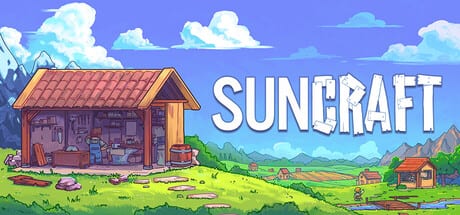
Suncraft looks like a calm village sim, but underneath it is a precise incremental loop driven by mouse input. Understanding controls early saves hours of dropped items, half-filled furnaces, and unnecessary walking. This guide covers clicker gathering on resource nodes, left-click pickup, right-click deposit, sprint from the skill tree, and habits that carry into Automation and Ember later.
If you have not finished the tutorial village segment, pair this page with Getting Started for context on where each input matters first.
Movement and camera
Move your character with WASD or arrow keys — whichever you prefer on Steam PC. The camera follows your character through village paths, snowy peaks, and mining areas. There is no combat dodge roll; positioning matters because you must stand within pickup range of item drops and deposit targets.
Click on interactable NPCs and buildings when prompted. Quest markers and furnace UIs open on click. Keep the mouse free for gathering — you will alternate between movement keys and rapid clicking constantly.
Click-to-gather on nodes
Resource nodes — tree stumps, dirt piles, iron veins, and later biome-specific variants — break down when you left-click them repeatedly. Each click applies damage based on your tools and Skill Tree Guide damage multiplier upgrades.
Tips for efficient gathering:
- Stay in range — stepping away mid-node resets your rhythm and wastes DPS.
- Clear one node before chasing drops — unless inventory pressure forces a deposit run.
- Prioritize vein lines — iron clusters near the village feed early Crafting and Furnace batches.
Higher damage multipliers change how gathering feels more than any hidden combo system. Invest there if clicking feels sluggish after the first hour.
Left-click: pick up items
When a node breaks, it spews items on the ground. Hold left-click on a drop to pick it up into your carried stack. Your character can hold a limited quantity until Deep Pockets skill upgrades expand capacity.
Common mistakes:
- Tapping instead of holding — short clicks may fail to register pickup on busy piles.
- Overfilling carry — excess items remain on the ground and can block pathing in tight areas.
- Ignoring stack order — pick up high-value ore before common stone if carry space is tight.
When your carry bar fills, sprint toward storage if you unlocked sprint; otherwise walk to the nearest deposit point.
Right-click: deposit items
Right-click on valid targets to deposit everything you currently carry. Valid targets include ground storage piles, chests unlocked via the skill tree, furnace fuel and input slots, and quest delivery points when highlighted.
Deposit discipline separates organized players from furnace idle time:
- Sort by destination — ore piles near furnaces, wood near fuel chests.
- Deposit before gathering new node types — mixing iron ore and glass sand in one run causes sorting later.
- Right-click the correct furnace slot — some recipes need specific input order documented in Crafting and Furnace.
If deposit fails silently, you are likely out of range or targeting a non-storage object. Move closer and watch for the cursor highlight.
Sprint skill
Sprint is not available at character creation. Unlock it through the skill tree after progressing early objectives — see Skill Tree Guide for exact prerequisites on your save version. Once unlocked, hold Shift (default) while moving to sprint.
Use sprint for:
- Deposit shuttles between distant iron veins and village furnaces.
- Quest turn-ins when villagers wait across the map.
- Catching up to Ember once automation spreads items — details in Automation and Ember.
Sprint does not increase click damage. Do not sprint while gathering on a node; stand still for maximum clicks per second.
Controller and gamepad support
Devlog #2 (July 12, 2026) confirmed full controller support in the 1.0 Steam build. Gamepad handles movement, menu navigation, crafting UIs, and exploration — ideal for couch cozy sessions on Steam Deck or living-room PC setups.
Practical gamepad notes:
- Node gathering remains click-driven — many players hybridize: gamepad for walking, mouse for rapid stump and vein clearing until Ember automation takes over.
- Deposit and pickup map to face buttons or triggers per in-game bindings — open Settings on first launch to confirm defaults.
- Build mode and furnace placement work on controller; precision placement may feel easier with mouse for tight village layouts.
- Accessibility tags on Steam (Camera Comfort, Color Alternatives, Custom Volume, Subtitle Options) apply regardless of input device.
Read Full Release and Launch Day Recap for platform details. Achievement unlocks work identically on controller and mouse (Achievements).
Quality-of-life habits
- Face your next destination before depositing — saves a second turn after each right-click.
- Bind comfortable mouse DPI — long sessions reward consistent click rhythm on stumps and veins.
- Use chests as buffers — unlocked via skill tree, they reduce ground clutter before Quest Walkthrough deliveries.
- Check Map and Biomes before hiking to new node types — controls are the same, but walk time differs.
Controls versus automation
Manual controls never vanish entirely, but Ember automation reduces how often you manually pick up and deposit. Until then, flawless left-click and right-click muscle memory is your production multiplier. Players coming from Stardew Valley often underestimate clicker gathering intensity — read Suncraft Review for how the game balances cozy aesthetics with incremental pacing.
Practice the loop: click node, hold pickup, right-click deposit, repeat. Once that rhythm is automatic, furnaces stay fed and villager quests clear on schedule.
Frequently Asked Questions
Quick answers to the most common questions.
How do you gather resources in Suncraft?
Left-click resource nodes like tree stumps, dirt piles, and iron veins repeatedly. Each click deals damage until the node breaks and drops items.
How do I pick up items in Suncraft?
Hold left-click on item drops on the ground to pick them up into your carried stack until capacity is full.
How do I deposit items in Suncraft?
Right-click on storage piles, chests, furnace inputs, or quest delivery points to deposit everything you are carrying.
When do I unlock sprint in Suncraft?
Sprint unlocks through the skill tree after early progression. Hold Shift while moving once unlocked — see the Skill Tree Guide for prerequisites.
Does Suncraft support controller input?
Yes. The July 28, 2026 full release includes full gamepad support for movement, crafting, and exploration. Gathering nodes still works best with mouse clicks — see the Controller section above and Full Release update notes.
Why won't my items deposit?
Move closer to the target, confirm it is a valid storage or furnace slot, and ensure your carry stack is not empty.